

Our Top Picks


The eufy Video Doorbell E340, Reolink Video Doorbell PoE and Tapo D225 are the strongest doorbell cameras that record without a monthly plan in 2026: the E340 for built-in storage and a package camera, the Reolink PoE for wired households that want a local recorder, and the Tapo D225 for a low-cost, microSD-based setup. Each one saves clips to hardware you own, so a lapsed plan never switches off your video history.
“No subscription” is a loose phrase in this category. Some doorbells give you live view, motion alerts and local clip storage for free and sell optional cloud storage on top. Others lock even basic recording behind a plan. This guide separates the two, explains what to check on a spec sheet before you commit, and ranks nine models by the kind of home they suit.
How we chose
This is a research-based guide built from manufacturer specification pages, 2026 buyer roundups and the way each brand structures its optional cloud plans. We did not run any physical evaluation. A model made the list only if it records and plays back video from local storage (internal memory, microSD, a hub or a network recorder) without a paid plan, and only if the product is currently sold. Where a spec could not be confirmed, we describe it by class (for example, “microSD slot, capacity varies by firmware”) rather than guess a number.
- Local recording first: clips must be stored on hardware you control, not just streamed live.
- Free core alerts: motion and person alerts to your phone with no plan.
- Power option: wired, battery, or both, because power decides installation difficulty.
- Video quality: at least 2K-class front video for readable faces and packages.
- Ecosystem openness: RTSP, ONVIF, Matter or HomeKit support for people who want to avoid a single vendor’s app.
What “no subscription” really covers
Before comparing models, check which features are free on each platform. The same camera can feel generous or crippled depending on what you expect.
| Feature | Usually free on local-storage doorbells | Often paid on cloud-first doorbells |
|---|---|---|
| Live view | Yes | Yes |
| Motion alerts | Yes | Yes, basic |
| Saved event clips | Yes, on SD card, internal memory or hub | Plan required |
| Person / package detection | Usually on-device AI, free | Plan required on many brands |
| Clip sharing and history beyond a few days | Limited only by storage size | Plan-defined (30 or 60 days typical) |
| Off-site backup if the doorbell is stolen | No, unless you buy optional cloud | Yes |
The last row is the honest trade-off. If a thief rips the doorbell off the wall and the video lives on an SD card inside it, the evidence leaves with the device. Hub-based and network-recorder models avoid that weakness because the recording lives elsewhere in your home.
Spec criteria and thresholds that matter
Storage type
There are four storage designs. Built-in memory (eufy E340) needs nothing extra but cannot be swapped. A microSD slot (Tapo and Reolink models, Wyze) is cheap and expandable, but the card is inside the doorbell. A hub (eufy HomeBase, aosu base station) keeps clips inside the house and can add capacity. A network recorder or server (Reolink PoE with RTSP/ONVIF, UniFi) offers the strongest protection and the most flexibility, at the cost of setup time.
Resolution and field of view
Treat 2K (roughly 2560 x 1440) as the threshold for a front-facing camera on a doorstep: faces and package labels stay readable when you zoom a clip. A tall field of view, with an aspect ratio closer to 4:3 than 16:9, matters for packages left at the door. Dual-camera doorbells solve this with a second lens aimed at the ground.
Power
Wired power gives continuous operation and faster wake-up. Battery power lets renters and people without a doorbell transformer install in minutes, but you will recharge or swap cells. Power over Ethernet (PoE) is the most reliable option because one cable carries power and data, though it requires running that cable.
Openness
RTSP and ONVIF support lets the doorbell feed a network video recorder or software such as Frigate or Blue Iris. Matter and HomeKit Secure Video support matter if you live in a single-platform home.
Comparison at a glance
| Model | Storage | Power | Standout trait |
|---|---|---|---|
| eufy Video Doorbell E340 | 8 GB built-in, expandable via HomeBase 3 | Battery or wired | Dual cameras |
| eufy Video Doorbell S330 | Local, no plan | Wired or battery | 2K HDR, AI detection |
| Reolink Video Doorbell PoE | microSD, RTSP/ONVIF to NVR | PoE | Continuous recording possible |
| Reolink Video Doorbell WiFi | microSD, up to 256 GB | Wired | 5 MP video |
| Tapo D225 | microSD | Battery or existing wiring | 2K at a modest tier |
| Tapo D210 | microSD | Battery | Entry-level no-drill option |
| Wyze Battery Video Doorbell | microSD, up to 256 GB | Battery | Low-cost ecosystem |
| Aqara Doorbell Camera Hub G410 | Local, HomeKit Secure Video | Wired | Built-in Matter hub and chime |
| UniFi G6 Entry | Local on UniFi controller | PoE | No-cloud design |
The nine best doorbell cameras without a subscription
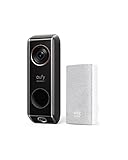
1. eufy Video Doorbell E340 – best overall for most homes
Spec line: dual cameras (visitor and package views) · 8 GB built-in storage · battery or wired · local AI detection · optional HomeBase 3 expansion.
Best for: homeowners who want free local recording with nothing else to buy, and who get packages left at the door.
Skip if: you want a cloud backup that survives theft of the doorbell, or you already own a different hub ecosystem.
- Pros: no card to buy, second lens covers the doorstep, expandable through a hub.
- Cons: internal memory cannot be swapped, and eufy also sells optional cloud storage that can nudge you toward paying.
As an Amazon Associate we earn from qualifying purchases at no extra cost to you.

2. eufy Video Doorbell S330 – best for sharper video
Spec line: dual-camera design · 2K HDR front video · AI person and package detection · local storage with no monthly fee.
Best for: buyers who want high-contrast video in backlit doorways and are happy with the eufy app.
Skip if: you need RTSP or a third-party recorder, since eufy focuses on its own ecosystem.
- Pros: strong detail in mixed light, on-device AI.
- Cons: overlaps heavily with the E340, so most buyers only need one of the two.
3. Reolink Video Doorbell PoE – best for a local recorder
Spec line: PoE power · RTSP and ONVIF support · microSD slot · works with network recorders and software such as Frigate and Blue Iris.
Best for: new builds, remodels and anyone who can run an Ethernet cable and wants true continuous recording.
Skip if: you rent, cannot run cable, or do not want to configure a recorder.
- Pros: reliable power and network, the most flexible recording options, no cloud account needed.
- Cons: installation takes planning, and the app is more technical than consumer-first rivals.

4. Reolink Video Doorbell WiFi – best wired Wi-Fi option
Spec line: 5 MP video · wired power · microSD up to 256 GB · Wi-Fi connection.
Best for: homes with existing doorbell wiring that want high resolution and local recording on a card.
Skip if: your Wi-Fi is weak at the front door, or you need a battery model (Reolink sells a separate battery version).
- Pros: high pixel count, large card support.
- Cons: card sits inside the doorbell, so theft removes the footage.
5. Tapo D225 – best value
Spec line: 2K video · microSD local storage · battery or existing doorbell wiring.
Best for: budget-minded buyers who want 2K-class video and a flexible power choice.
Skip if: you want an open recorder protocol or a second package-facing camera.
- Pros: low entry cost, free local clips with a card you supply.
- Cons: you must buy and manage the microSD card, and features are tied to the Tapo app.

6. Tapo D210 – best entry-level battery pick
Spec line: 2K-class video · battery power · microSD local storage · no subscription needed for core features.
Best for: first-time buyers and apartments where drilling is off the table.
Skip if: you want continuous recording or a wired setup.
- Pros: easy install, inexpensive.
- Cons: battery needs periodic recharging, and a thinner feature set than the D225.

7. Wyze Battery Video Doorbell – best for existing Wyze homes
Spec line: battery power · microSD up to 256 GB · local storage without a Wyze plan.
Best for: households already using Wyze cameras who want one app.
Skip if: you want a model that stores video away from the device.
- Pros: inexpensive, simple app.
- Cons: Wyze sells paid plans for features such as richer AI detection, so confirm which are free before relying on them.

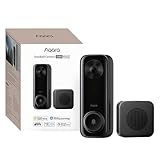
8. Aqara Doorbell Camera Hub G410 – best for Apple Home users
Spec line: HomeKit Secure Video support · built-in Matter hub · wired power · built-in chime.
Best for: Apple households that want a doorbell, chime and smart-home hub in one box.
Skip if: you do not use Apple Home. HomeKit Secure Video recording also depends on an iCloud plan, so it is not subscription-free in practice if you rely on it; use Aqara’s local options if that matters to you.
- Pros: Matter hub saves buying a separate bridge, strong privacy posture.
- Cons: requires wiring and a chime-compatible setup.

9. UniFi G6 Entry – best for privacy-first networks
Spec line: PoE power · recording on your own UniFi controller · no cloud requirement.
Best for: people who already run UniFi network gear and want video that never leaves the house.
Skip if: you do not have, or want to learn, a UniFi controller.
- Pros: zero-cloud design, clean integration with an existing UniFi system.
- Cons: only makes sense inside that ecosystem.

Worked example: how long will local storage last?
Local storage is finite, so estimate it before buying. These are planning figures with stated assumptions, not manufacturer claims. Assume a 2K event clip streams at about 4 Mbps, which is roughly 0.5 MB per second.
- Assume a busy porch records 40 events a day, each 20 seconds long.
- Recorded seconds per day: 40 x 20 = 800 seconds.
- Storage per day: 800 x 0.5 MB = 400 MB.
- An 8 GB built-in drive (about 7 GB usable) holds roughly 7,000 / 400 = 17 days.
- A 32 GB microSD card holds roughly 30,000 / 400 = 75 days.
- A 256 GB card holds roughly 240,000 / 400 = 600 days.
Most doorbells overwrite the oldest clips automatically, so the real question is how far back you want to search. If a package goes missing and you only notice after a week, 17 days is enough. If you want a full season of history, choose a card of 128 GB or larger, or a hub or recorder. Continuous recording changes the math sharply: 0.5 MB per second is about 43 GB per day, so a 256 GB card lasts only around six days.
All 15 doorbells compared
| Model | Power | Local storage | Best trait |
|---|---|---|---|
| eufy E340 | Battery or wired | 8 GB built-in | Package lens |
| eufy S330 | Wired or battery | Local | 2K HDR |
| Reolink PoE | PoE | microSD plus recorder | RTSP and ONVIF |
| Reolink WiFi | Wired | microSD | 5 MP |
| Tapo D225 | Battery or wired | microSD | Value |
| Tapo D210 | Battery | microSD | Entry-level |
| Wyze Battery | Battery | microSD | Wyze ecosystem |
| Aqara G410 | Wired | Local, HomeKit | Matter hub |
| UniFi G6 Entry | PoE | UniFi controller | No cloud |
| Tapo D260 | Wired or battery | microSD | 4K |
| eufy S4 | Wired | Local | Panoramic view |
| eufy C30 | Battery | Local | Low-cost eufy |
| aosu 5MP | Wireless or wired | 8 GB built-in | Pixel count |
| Reolink Battery (2nd Gen) | Battery | Local | Wire-free Reolink |
| Aqara G400 | Wired or PoE | Local, HomeKit | PoE for Apple Home |
How to choose: thresholds that decide the purchase
- Retention window. Using the 400 MB per day planning figure, an 8 GB drive covers about two weeks and a 32 GB card about 75 days. If you want more than three months of history, pick a 128 GB card or larger, a hub or a recorder.
- Resolution. 2K is the floor for readable faces and labels. Pay for 3K or 4K only if you regularly zoom into clips of a wide driveway or porch.
- Power. If doorbell wiring exists and its transformer is rated in the 16 to 24 volt range, wired models avoid recharging. With no wiring, choose battery and plan a recharge every one to three months at normal activity.
- Wi-Fi at the door. Most battery models use 2.4 GHz. A phone signal weaker than about minus 70 dBm at the door usually calls for a mesh node or a PoE model.
- Theft risk. If a stolen doorbell would take your only copy of the video, favor a hub or recorder model, or add an optional cloud copy.
- Budget tier. Entry-level models start with the Tapo D210 and eufy C30. Mid-range covers the E340, D225 and Reolink models. Premium covers the D260, eufy S4 and UniFi G6 Entry.
Decision matrix
| Your situation | Best fit | Why |
|---|---|---|
| Homeowner, wants zero extras | eufy E340 | Storage included, package lens |
| Can run Ethernet, wants a recorder | Reolink PoE or UniFi G6 Entry | Network power, off-device recording |
| Wired Wi-Fi, high resolution | Reolink WiFi | 5 MP, large card |
| Tight budget, flexible power | Tapo D225 or D210 | 2K-class video, local card |
| Already on Wyze | Wyze Battery Video Doorbell | Single app |
| Apple Home | Aqara G410 | HomeKit and Matter hub |
Who should still consider a paid plan
Local storage is not always the better answer. If theft of the doorbell is a real concern in your area, a cloud copy of each clip is valuable because the footage survives the device. In that case, pick a camera that allows both: free local recording as the default and an optional plan as a safety net. Cloud-first systems from Ring and Google Nest generally need a plan for saved video, and Ring’s wired Pro model does not support its local-storage feature, so they belong in a different buying category from this list.
Setup tips that protect your footage
- Format a new microSD card inside the doorbell’s own app, and use a card rated for continuous writing (often labeled “high endurance”).
- Set motion zones to exclude the street so passing cars do not fill the card.
- Back up important clips to your phone after an incident, since overwritten clips are gone.
- Use a strong, unique account password and turn on two-step sign-in where the app offers it.
- Update firmware regularly; doorbells are internet-connected devices.
- Check local rules on recording audio and on pointing a camera at neighboring property.
Six more no-subscription doorbell cameras worth shortlisting
The nine picks above cover the most common homes. Six more models fill the gaps: 4K detail, a panoramic wired view, a cheaper eufy, a large-storage option, a wire-free Reolink and a PoE model for Apple households. Specs below come from manufacturer listings; where a figure could not be confirmed, the spec class is described instead.
10. Tapo D260 – best 4K pick
Tapo’s flagship doorbell pushes resolution past the 2K threshold used in this guide, which helps when you zoom into a recorded clip to read a license plate or a parcel label.
Spec line: 4K video · 180-degree field of view · wired or battery power · person, vehicle, package, animal and face detection · local microSD recording
Best for: buyers who want the sharpest Tapo picture and richer AI categories without a plan.
Skip if: you only need 2K detail or want the lowest entry cost; the D225 covers most doorsteps for less.
Pros: highest resolution in the Tapo range, wide view reduces blind spots, flexible power.
Cons: premium tier for a doorbell, and the microSD card is a separate purchase that stays inside the unit.

11. eufy Video Doorbell S4 – best panoramic wired view
eufy’s newer wired model trades the dual-lens design of the E340 for a single panoramic camera, which changes how the doorstep is framed.
Spec line: 3K video · 180-degree panoramic view · wired power · AI auto tracking · sold as no-subscription
Best for: homes with existing doorbell wiring that want one lens covering the visitor and the package on the ground.
Skip if: you rent, cannot connect to doorbell wiring, or need RTSP for a third-party recorder.
Pros: very wide coverage from a single camera, strong resolution, no required plan.
Cons: premium tier, wiring is required, and it lives inside eufy’s own ecosystem.

12. eufy Video Doorbell C30 – best low-cost eufy
The C30 is the simplest way into the eufy app. It gives up the dual-camera design of the E340 in exchange for a lower price.
Spec line: 2K video · 165-degree ultra-wide view · battery power · sold as no-subscription
Best for: first-time buyers who want eufy’s local-recording approach at an entry-level tier.
Skip if: you need a second package-facing lens or hardwired continuous power.
Pros: easy battery install, 2K picture, no monthly plan for core use.
Cons: single lens, so packages directly below the camera may sit outside the frame, and battery life depends on activity.

13. aosu 5MP Video Doorbell – best for high pixel count with local storage
aosu positions its doorbells around storage that does not need a plan, and this model pairs a 5 MP sensor with onboard memory.
Spec line: 5 MP video · wireless or wired power · 8 GB local storage · head-to-toe view · no subscription required
Best for: owners who want a high pixel count and a built-in memory option from a brand focused on local recording.
Skip if: you already use another app ecosystem and do not want a new account.
Pros: higher pixel count than most 2K models, local storage included, works wired or wire-free.
Cons: less established than the big smart-home brands, so check firmware update history before buying.

14. Reolink Battery Video Doorbell (2nd Gen) – best wire-free Reolink
This is the wire-free counterpart to the PoE model in the main list, and it suits homes where a drill or a cable run is not an option.
Spec line: 2K 4 MP video · 150 x 150 degree head-to-toe view · rechargeable battery · 2.4 and 5 GHz Wi-Fi · local storage, no subscription
Best for: renters and apartment dwellers who like Reolink’s open approach but cannot run Ethernet.
Skip if: you want continuous recording, which a battery model cannot sustain.
Pros: dual-band Wi-Fi, tall field of view for packages, local recording with no plan.
Cons: battery needs periodic recharging, and the Reolink app is more technical than consumer-first rivals.

15. Aqara Doorbell Camera G400 – best PoE option for Apple Home
The G400 is the wired sibling of the G410 in the main list. It skips the built-in hub in favor of a simpler wired design.
Spec line: 2K video · wired or PoE power · HomeKit Secure Video support · IP65 weather rating · 2.4 and 5 GHz Wi-Fi
Best for: Apple households with an Ethernet run to the door who want a reliable connection.
Skip if: you do not use Apple Home, or you want recording that never touches iCloud.
Pros: PoE reliability, dual-band Wi-Fi, weather-rated body, HomeKit support.
Cons: HomeKit Secure Video recording depends on an iCloud plan, so rely on Aqara’s local options if avoiding fees matters.
Frequently asked questions
Which doorbell camera has no subscription at all?
Several record locally with no required plan, including the eufy E340, Reolink PoE and Tapo D225. Optional cloud add-ons may still exist, but local recording works without them.
Check each brand’s feature page before buying, since a few advanced detections can still sit behind a plan on some platforms.
Do Ring and Nest doorbells need a subscription?
For saved video, generally yes. Both can show live view and send alerts without a plan, but recorded history depends on a paid plan on most models.
That is why they are not included in this list of local-storage picks.
Is a microSD card or a hub better for storage?
A hub or network recorder is safer because the footage stays inside your home if the doorbell is stolen. A microSD card is cheaper and simpler.
For most renters and budget buyers a card is fine; for high-risk entrances use a hub or recorder.
How long does local storage last?
It depends on clip count and resolution. Under typical assumptions of 40 clips a day at 2K, an 8 GB drive holds roughly two to three weeks and a 256 GB card well over a year.
Continuous recording consumes space many times faster, so size the card accordingly.
Can I use a doorbell camera without Wi-Fi?
Not for app features. Wi-Fi or Ethernet is needed for live view and alerts. A PoE model uses Ethernet instead of Wi-Fi.
Some models record to a card during an outage, but you cannot view clips remotely until the connection returns.
Do battery doorbells record as much as wired ones?
Battery models usually record motion events only, to save power, while wired or PoE models can run longer and sometimes record continuously.
If you want 24/7 recording, choose a PoE model with a recorder.
Will a local-storage doorbell work with my existing chime?
Many wired models work with a mechanical chime when connected to compatible doorbell wiring, and some include a plug-in chime.
Check your transformer voltage and chime type against the product’s requirements before you install.
Is it safe to keep doorbell footage on a card inside the device?
It is safe from outages but not from theft of the device. Footage can be lost if the unit is removed or damaged.
Pair a card-based model with a no-drill, anti-theft mount or choose a hub-based system if that risk concerns you.
More from Amazon
Programs that pair well with the guide above. Offers and eligibility are set by Amazon and may change.
Free shipping on eligible items, Prime Video and more. Eligible new members can start with a free trial.
Start a Prime free trialAudiobooks and podcasts to listen to on the go. Eligible new members can start with a free trial.
Try Audible freeAd-free music streaming. Eligible new subscribers can start with a free trial.
Try Music Unlimited freeA free business account with business pricing and bulk-buying tools for work, shop or home office.
Create a business accountAs an Amazon Associate we earn from qualifying purchases.


Write Your Review
No reviews yet. Be the first to share your experience!