

Our Top Picks
 Best entry-level RingArlo Video Doorbell 2K1 Doorbell1.45 x 1.85 x 5.63 inches0.45 PoundsCheck on Amazon
 Best for Alexa homesRing Wired Doorbell 4K Pro1 doorbell5.4 x 1.9 x 1 inches0.4 poundsCheck on Amazon


The best doorbell camera for most homes is the Google Nest Doorbell if you use Google Home, the Eufy Video Doorbell E340 if you want to avoid monthly fees, and the Ring Battery Doorbell Pro if you live in the Alexa ecosystem and want the most advanced motion detection. This guide compares nine current models on the criteria that decide real satisfaction: power type, video quality, field of view, storage and subscription cost, and smart home fit, and it includes safety guidance for wiring and batteries.
Quick picks by buyer
- Best for Google Home users: Google Nest Doorbell (battery or wired 3rd generation).
- Best no-subscription pick: Eufy Video Doorbell E340, with two cameras and built-in storage.
- Best for Alexa homes: Ring Battery Doorbell Pro.
- Best budget wired option: Arlo Essential Wired, with a wide 180 degree view and broad smart home support.
- Best local storage on a budget: Reolink 5 MP wired Wi-Fi video doorbell.
- Best entry-level Ring: Ring Video Doorbell (2nd Gen).
How we chose
This guide is based on research, not first-hand evaluation. We compared manufacturer specification sheets and published 2026 roundups and kept models that are currently sold and that cover the main buyer types: wired, battery, subscription and local-storage. We judged each on power options, video resolution and shape, field of view, how footage is stored, what a subscription adds, and which smart home platforms it works with. Where a figure could not be confirmed we describe the model by class and say so, and prices are shown as tiers.
How to choose a video doorbell
Wired, battery or both
Wired doorbells draw continuous power from your existing doorbell transformer, so they never need charging and can record more reliably. Battery models install in minutes and suit renters and homes without doorbell wiring, but you must recharge them every few weeks to months depending on traffic. Hybrid models, such as the Nest Doorbell (Battery), the Eufy E340 and the Ring Battery Doorbell Pro, accept either source.
Video quality and shape
Resolution is only part of the picture. A tall or square aspect ratio, such as the 3:4 view on the Nest or the 1:1 view on the Arlo Essential Wired, shows a visitor from head to toe and any package at their feet. A wide 16:9 view shows more of the yard but less of the ground.
Field of view
Fields of view in this guide run from 145 degrees on the Nest battery model to 180 degrees on the Arlo Essential Wired, Eufy 2K and Reolink. Wider is better for porches with side approaches and less useful when it also captures the street and triggers false alerts.
Storage and subscriptions
Cloud-first doorbells, such as Ring and Arlo, need a paid plan to save and review clips. Local-storage doorbells from Eufy and Reolink store clips on built-in memory or a base station and charge no monthly fee. Nest gives a short free event history and sells longer history through Google Home Premium.
Smart home fit
Match the doorbell to your ecosystem: Nest for Google Assistant, Ring for Alexa, Arlo for Alexa, Google Assistant and Apple Home (the Apple route may need a separate hub). Eufy and Reolink offer more limited integrations.
Spec comparison table
| Doorbell | Power | Video | Field of view | Storage | Smart home |
|---|---|---|---|---|---|
| Google Nest Doorbell (Battery) | Battery or wired | 960 x 1280 (3:4) | 145 degrees | 3 hours free cloud history, paid plans for more | Google Assistant |
| Google Nest Doorbell (wired, 3rd gen) | Wired | 2K HDR | not verified | 3 hours free cloud history, paid plans for more | Google Home |
| Eufy Video Doorbell E340 | Battery or wired | 2K, dual camera | not verified | 8 GB built-in, local | Limited |
| Eufy Video Doorbell 2K (Battery) | Battery or wired | 2560 x 1920 (4:3) | 180 degrees | Local, base station required, no monthly fee | Limited |
| Ring Battery Doorbell Pro | Battery or wired | 4K-class with 3D motion detection | not verified | Cloud, subscription for history | Alexa |
| Ring Video Doorbell (2nd Gen) | Battery, wired or solar | 1920 x 1080 (16:9) | 155 degrees | Cloud, subscription to record | Alexa |
| Arlo Essential Wired | Wired | 1536 x 1536 (1:1) | 180 degrees | Cloud, subscription required | Alexa, Google Assistant, Apple Home |
| Arlo Video Doorbell 2K (2nd Gen) | Rechargeable battery | 2K | not verified | Cloud, subscription | Alexa, Google Assistant |
| Reolink 5 MP wired Wi-Fi doorbell | Wired | 2560 x 1920 (5 MP) | 180 degrees | Local, encrypted | Limited |
The 9 video doorbells worth shortlisting
1. Google Nest Doorbell (Battery)
Spec line: 960 x 1280 video (3:4) · 145 degree field of view · battery or wired · 3 hours free event history · Google Assistant.
Best for: Google Home households that want reliable person, package and animal alerts without a subscription for basic detection.
Skip if: you want the sharpest picture or a wide view, or you live in an Alexa home.
- Pros: smart motion alerts included, tall head-to-toe view, easy install in both power modes.
- Cons: lower resolution than rivals, narrower view, history and face features need a paid plan.
As an Amazon Associate we earn from qualifying purchases at no extra cost to you.

2. Google Nest Doorbell (wired, 3rd generation)
Spec line: 2K HDR video · wired · 3 hours free event history · Google Home.
Best for: homes with existing doorbell wiring that want better image quality and continuous power in the Google ecosystem.
Skip if: you have no doorbell wiring or want local storage.
- Pros: HDR picture, no battery to charge, free short history.
- Cons: needs compatible wiring, full history requires a paid plan.
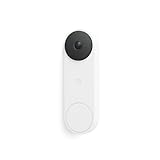
3. Eufy Video Doorbell E340
Spec line: 2K video · two cameras (front-facing and downward) · battery or wired · 8 GB built-in storage · color night vision.
Best for: people who want no monthly fee and a second camera aimed at packages on the doorstep.
Skip if: you want deep integration with Alexa or Google Home.
- Pros: no required subscription, dual view for packages, flexible power.
- Cons: limited smart home integrations, built-in storage is finite.

4. Eufy Video Doorbell 2K (Battery)
Spec line: 2560 x 1920 (4:3) · 180 degree field of view · battery or wired · local storage via base station · no monthly fee.
Best for: value buyers who want a wide, sharp view and local clips at a low-to-mid price tier.
Skip if: you dislike extra hardware; it needs a base station and offers no cloud storage option.
- Pros: no fees, wide view, high resolution.
- Cons: base station required, limited smart home support, storage not expandable.

5. Ring Battery Doorbell Pro
Spec line: high-resolution video · 3D motion detection · Bird’s Eye view · head-to-toe view · battery or wired · Alexa.
Best for: Alexa households that want the most detailed motion tracking and path view of visitors.
Skip if: you want to avoid a subscription; saved history needs a Ring Protect plan.
- Pros: advanced motion zones, tall view, deep Alexa integration, large accessory range.
- Cons: premium tier, ongoing plan cost for history, exact field-of-view figure not verified.
6. Ring Video Doorbell (2nd Gen)
Spec line: 1920 x 1080 (16:9) · 155 degree field of view · battery, wired or solar charging · cloud recording with a plan.
Best for: renters and budget buyers who want a familiar Ring app with flexible power.
Skip if: you want a tall view for packages or no subscriptions.
- Pros: entry-level tier, three power options, quick replies.
- Cons: standard 16:9 view cuts off the ground, recording needs a plan.
7. Arlo Essential Wired
Spec line: 1536 x 1536 (1:1) · 180 degree field of view · wired · cloud storage by subscription · Alexa, Google Assistant, Apple Home.
Best for: budget buyers with doorbell wiring who need a clear full-body view and wide platform support.
Skip if: you want local storage or a battery option.
- Pros: low price tier, square view, broad platform support.
- Cons: no free cloud storage, Apple Home needs a hub, wired only.

8. Arlo Video Doorbell 2K (2nd Gen)
Spec line: 2K video · rechargeable battery · cloud with Arlo Secure plan · Alexa, Google Assistant.
Best for: homes without wiring that already use other Arlo cameras.
Skip if: you dislike subscriptions; detection features need a paid plan.
- Pros: battery install, sharp image, ties into an Arlo camera setup.
- Cons: ongoing plan cost, field-of-view figure not verified, mid-range tier.

9. Reolink 5 MP wired Wi-Fi video doorbell
Spec line: 2560 x 1920 (5 MP) · 180 degree field of view · wired with plug-in chime · local encrypted storage · infrared night vision.
Best for: privacy-minded buyers who want the highest pixel count at the lowest price tier and local storage.
Skip if: you want deep smart home integration or a polished app.
- Pros: lowest cost tier, local data, strong night vision.
- Cons: wired only, no pan, tilt or zoom, limited integrations.
Group by buyer criteria
No monthly fee
- Eufy E340, Eufy Video Doorbell 2K and Reolink store clips locally. Nest gives a short free history, but longer history is a paid plan.
Package watching
- Choose a tall or square view (Nest 3:4, Arlo 1:1) or a dual-camera model (Eufy E340).
Renters
- Choose battery or hybrid models: Nest (Battery), Ring (2nd Gen), Arlo 2K, Eufy models. Use a mounting bracket that does not require drilling if the lease forbids it.
Smart home match
- Google Home: Nest. Alexa: Ring or Arlo. Apple Home: Arlo Essential Wired with its hub.
Worked example: how much local storage do I need?
Assume a recorded clip averages 20 seconds at a 2 Mbps bitrate, a plausible planning figure for a 2K doorbell and not a measurement. Size per clip: 20 s x 2 Mbps = 40 megabits = 5 megabytes. An 8 GB store holds about 8,000 / 5 = 1,600 clips. If your porch triggers 20 events a day, that is 1,600 / 20 = 80 days of footage before the oldest clips are overwritten. At 60 events a day on a busy street the same storage lasts about 27 days. To stretch storage, shrink the motion zone, lower sensitivity and turn off alerts for cars on the road.
For a cloud-plan comparison, count the months: total cost of ownership over three years equals the hardware tier plus 36 monthly plan payments, so a cheaper doorbell with a required plan can cost more over three years than a mid-tier no-subscription model. Check the plan terms for your region before buying.
How to pick among all the doorbells
Four thresholds narrow fifteen models to two or three.
- Power. Existing doorbell wiring with a transformer in the maker voltage range: choose wired and skip recharging. No wiring: choose battery and expect a recharge every few weeks to months.
- Monthly cost. If you will not pay a plan, restrict yourself to local-storage models: Eufy, Reolink or Tapo. A cloud plan over three years can cost more than the doorbell itself.
- View shape. For packages, pick 1:1, 3:4 or 4:3. For wide porches, pick 160 to 180 degrees.
- Ecosystem. Alexa: Ring. Google Home: Nest. Apple Home: Aqara or Arlo with a hub. Mixed: Arlo.
Check your doorbell transformer voltage and chime type before buying a wired model.
Decision matrix
| If you… | Choose | Skip |
|---|---|---|
| Use Google Home and have wiring | Nest Doorbell (wired, 3rd gen) | Ring (needs Alexa for best fit) |
| Want no monthly fee and package view | Eufy E340 | Arlo Essential Wired (cloud plan) |
| Use Alexa and want advanced motion | Ring Battery Doorbell Pro | Reolink (limited integration) |
| Rent and cannot wire | Nest (Battery) or Arlo 2K | Arlo Essential Wired |
| Want lowest cost and local video | Reolink doorbell | Ring Battery Doorbell Pro |
Installation and safety guidance
Wired installation
- Switch off the doorbell circuit at the breaker panel before touching any wire, and confirm with a non-contact voltage tester that the wires are dead.
- Check your transformer’s voltage and VA rating against the doorbell maker’s required range. Most video doorbells need low-voltage AC power in the range printed in the manual; an underpowered transformer causes reboots and failed night vision.
- If you have a mechanical chime, follow the maker’s instructions to install any bypass or adapter it requires, since the wrong chime can cause buzzing or damage.
- If the transformer is hardwired to household voltage and you are not confident, hire a licensed electrician. Never work on mains-voltage wiring without training.
Battery safety
- Use only the supplied or maker-approved battery and charger, and stop using any battery that swells, leaks or overheats.
- Cold weather reduces battery life sharply, so check the stated operating temperature range for your climate. Do not charge a frozen battery.
- Do not puncture, crush or expose the battery to open flame, and recycle spent lithium cells at a proper drop-off point.
Privacy and placement
- Aim the camera at your own porch and path. Cameras that capture neighbors’ windows or yards, or that record audio, may be restricted by local law, so check your state’s rules and consider using privacy zones.
- Enable two-factor authentication on the app account and use a unique password, because a compromised account exposes your front door.
Buying checklist
- Check whether you have doorbell wiring and a compatible transformer.
- Choose Wi-Fi band support: most doorbells need 2.4 GHz at least, and a weak signal at the door ruins video quality.
- Decide whether you accept a monthly plan or want local storage.
- Match the app to your voice assistant.
- Check the stated operating temperature if you live in a cold region.
More video doorbells worth a look
The nine models above cover the main ecosystems. Buyers also ask about higher-resolution Ring models, budget options and HomeKit support, so six more are added here. Each ends with a product card.
10. Ring Wired Doorbell 4K Pro
Spec line: Retinal 4K video · wide-angle view · up to 10x enhanced zoom · night vision · wired · Alexa · premium tier
This is the model to pick when picture detail matters, for reading a delivery label or a licence plate at the curb. A wired install removes battery chores. As with other Ring models, live view and alerts work out of the box, while saved clips need a plan.
Best for: Alexa households with doorbell wiring that want the sharpest picture and the most zoom headroom. Skip if: you have no wiring or want to avoid a subscription; saved video needs a Ring plan.
Pros: Very high resolution, strong zoom, continuous power, deep Alexa integration. Cons: Premium tier, needs compatible wiring, history needs a paid plan.
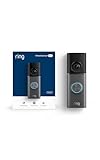
11. Ring Battery Doorbell 2K Plus
Spec line: Retinal 2K video · wide-angle view · up to 6x enhanced zoom · night vision · battery · Alexa · mid-range tier
The Plus tier sits between the entry battery doorbell and the Pro. It suits a front door with moderate traffic where a recharge every few weeks is acceptable. Position the camera so the motion zone avoids the street, which cuts false alerts and battery drain.
Best for: Renters and homes without doorbell wiring that want a step up from the entry Ring models. Skip if: you want local storage or no monthly fees.
Pros: Battery install, sharper picture than the entry model, easy Ring app, large accessory range. Cons: Needs a plan to save video, battery must be recharged, mid-range tier.

12. Wyze Battery Video Doorbell
Spec line: 1536 x 1536 (1:1) HD+ video · color night vision · 2-way audio · head-to-toe view · battery · entry-level tier
Wyze built its name on low prices, and this doorbell follows that pattern: a 1:1 view that shows a visitor and the doorstep, simple setup and a modest cost. Compare the cost of the optional cloud plan against the doorbell itself before deciding.
Best for: Value buyers who want a square head-to-toe view for packages at a low price tier. Skip if: you want 2K or higher resolution or deep smart home platform support.
Pros: Low price tier, square view that shows packages, color night vision. Cons: Fewer features than premium rivals, cloud features need a plan, battery recharging.

13. Tapo D225
Spec line: 2K+ video · 180 degree field of view · wired or battery · person, vehicle and package detection · chime included · mid-range tier
The 180 degree view covers porches with side approaches, and the person, vehicle and package detection helps filter alerts. Because it can run on battery or wiring, it works for homes that might add wiring later.
Best for: Buyers who want wide coverage, flexible power and smart detection at a moderate price. Skip if: you want a polished big-brand ecosystem such as Alexa or Google Home routines.
Pros: Wide view, flexible power, detection types listed, chime in the box. Cons: Less ecosystem depth, app is less mature than Ring or Nest, check storage options before buying.

14. Aqara Smart Doorbell Camera G410
Spec line: 2K video · HomeKit Secure Video · built-in Matter hub · wireless · chime included · mid-range to premium tier
HomeKit support is rare in video doorbells, which makes this model the standout for iPhone households. The built-in hub reduces the number of boxes in the house. Check what your iCloud plan covers for recording before you commit.
Best for: Apple Home households that want a doorbell that also acts as a Matter hub. Skip if: you rely on Alexa or Google Assistant routines; HomeKit is the strong suit here.
Pros: HomeKit Secure Video support, built-in hub, chime, 2K picture. Cons: Needs an iCloud plan for HomeKit video, smaller accessory range, mid-range tier or higher.

15. Eufy Video Doorbell C31
Spec line: 2K video · battery or wired · no subscription · head-to-toe view · entry-level tier
This is the simplest answer to the subscription question. It keeps clips locally, runs on battery or wiring and costs much less than the dual-camera E340. Choose it for an apartment door or a secondary entrance.
Best for: Budget buyers who want 2K video and no monthly fee. Skip if: you want a second camera aimed at packages; the E340 offers that.
Pros: No subscription, flexible power, low price tier, head-to-toe view. Cons: Limited smart home integration, simpler than the E340, storage depends on the included hardware.

All 15 video doorbells compared
| Doorbell | Power | Field of view | Storage | Price tier |
|---|---|---|---|---|
| Google Nest Doorbell (Battery) | Battery or wired | 145 degrees | Short free history, paid plans | Mid-range |
| Google Nest Doorbell (wired, 3rd gen) | Wired | not verified | Short free history, paid plans | Premium |
| Eufy Video Doorbell E340 | Battery or wired | not verified | 8 GB local | Mid-range |
| Eufy Video Doorbell 2K (Battery) | Battery or wired | 180 degrees | Local via base station | Entry-level |
| Ring Battery Doorbell Pro | Battery or wired | not verified | Cloud plan | Premium |
| Ring Video Doorbell (2nd Gen) | Battery, wired or solar | 155 degrees | Cloud plan | Entry-level |
| Arlo Essential Wired | Wired | 180 degrees | Cloud plan | Entry-level |
| Arlo Video Doorbell 2K (2nd Gen) | Battery | not verified | Cloud plan | Mid-range |
| Reolink 5 MP wired Wi-Fi | Wired | 180 degrees | Local | Entry-level |
| Ring Wired Doorbell 4K Pro | Wired | not verified | Cloud plan | Premium |
| Ring Battery Doorbell 2K Plus | Battery | not verified | Cloud plan | Mid-range |
| Wyze Battery Video Doorbell | Battery | not verified | Cloud plan optional | Entry-level |
| Tapo D225 | Wired or battery | 180 degrees | Check storage options | Mid-range |
| Aqara G410 | Wireless | not verified | HomeKit Secure Video via iCloud | Mid-range |
| Eufy Video Doorbell C31 | Battery or wired | not verified | Local | Entry-level |
Frequently asked questions
Do video doorbells need a subscription?
Not always. Eufy and Reolink models save clips locally with no monthly fee, while Ring and Arlo need a paid plan to record and review history.
Nest gives a short free history and sells longer history as a paid plan.
Is a wired or battery doorbell better?
Wired is better for reliability, since it never needs charging. Battery suits renters and homes without wiring.
Hybrid models give you both options, so you can start on battery and wire later.
Will a video doorbell work with my existing chime?
Often yes, but some mechanical chimes need an adapter or bypass supplied by the maker.
Check the compatibility page for your doorbell and chime type before installing.
What field of view should I choose?
A field of view around 150 to 180 degrees covers most porches. A tall or square aspect ratio matters more for seeing packages.
Wider views on a street-facing door can trigger more false alerts.
How long does a doorbell battery last?
It depends on how many events your porch triggers, your video quality and the weather. Expect weeks to a few months between charges.
Busy streets, cold weather and long live-view sessions shorten that time.
Are video doorbells secure?
They can be, if you use a strong unique password, two-factor authentication and keep firmware updated.
Local-storage models keep footage off the cloud, but you must secure the account and your Wi-Fi.
Can I install a video doorbell if I rent?
Yes, a battery model with a no-drill mount works for most leases. Ask your landlord before altering any wiring.
Keep the original doorbell so you can restore it when you move.
Do doorbell cameras record all the time?
Most record clips when they detect motion or a button press, not continuously.
Wired models can support longer or continuous recording on some plans, so check the plan details.
More from Amazon
Programs that pair well with the guide above. Offers and eligibility are set by Amazon and may change.
Free shipping on eligible items, Prime Video and more. Eligible new members can start with a free trial.
Start a Prime free trialAudiobooks and podcasts to listen to on the go. Eligible new members can start with a free trial.
Try Audible freeAd-free music streaming. Eligible new subscribers can start with a free trial.
Try Music Unlimited freeA free business account with business pricing and bulk-buying tools for work, shop or home office.
Create a business accountAs an Amazon Associate we earn from qualifying purchases.

Write Your Review
No reviews yet. Be the first to share your experience!