

Our Top Picks
 Google HomeFirst Alert SC5 Battery Smart Smoke & Carbon5.75 x 1.6 x 5.75 inches1 poundsCheck on Amazon
 First Alert 10-Year Battery Combination Smoke & Carbon5 × 2.12 × 5 inches5 x 2.12 x 5 inches0.6 PoundsCheck on Amazon
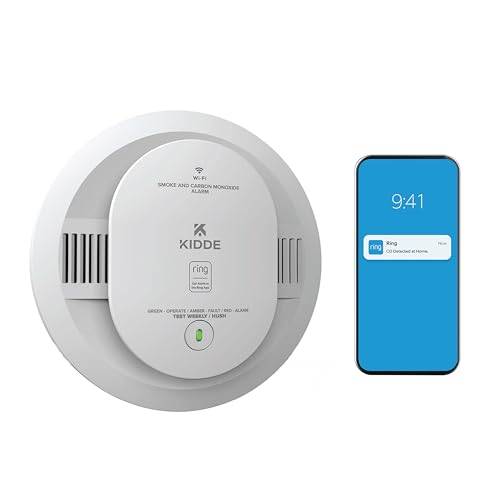
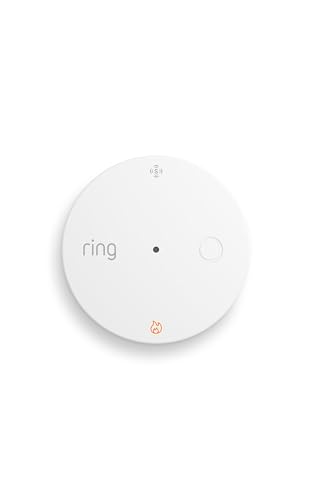

The best smart smoke detectors right now are the First Alert SC5 for Google Home homes (the official successor to the discontinued Nest Protect), the Kidde smart smoke and CO alarm for Ring households, the X-Sense SC07-W for phone alerts without a hub, and the Ring Smoke and CO Listener if you would rather keep the alarms you already own. A smart alarm only earns its extra cost if it reliably tells your phone, and your family, what is happening when you are not in the room.
This guide is about the smart layer: alerts, platform fit, connection method, and what happens when the Wi-Fi is down. If you are looking for sensor basics, sealed batteries, and placement counts for ordinary alarms, those belong to a standard smoke detector guide. Here we compare how smart alarms communicate and where each one can fail.
Quick answer by smart-home platform
- Google Home: First Alert SC5.
- Ring or Alexa: Kidde smart smoke and CO alarm built for Ring, or the Ring Smoke and CO Listener for existing alarms.
- No hub, any phone: X-Sense SC07-W.
- No Wi-Fi at the property (cellular): Kidde RemoteLync Monitor.
- Alexa speaker built in: First Alert Onelink Safe and Sound, where still available.
- Z-Wave alarm system: First Alert Z-Wave smoke and CO alarm for compatible Ring Alarm or other Z-Wave hubs.
How we chose
This is a research-based comparison built from manufacturer pages and 2026 buyer guides, not lab work. We did not run fire or smoke exposure experiments. Our criteria were:
- The device must be a listed smoke alarm (UL 217) or, for listeners, must work alongside one. If CO is included, it must be listed to UL 2034.
- The audible siren must work with no internet. Phone alerts are an extra, never the only warning.
- Alerts must be delivered without a required subscription for the basic smoke and CO notification.
- Platform fit: Google, Alexa, Apple, Z-Wave, or standalone.
- Honest availability: Google discontinued the Nest Protect in March 2025, and some 2026 guides still rank it. We treat it as legacy.
Several reviewer sites contradict themselves on specific winners and prices, so we checked the broad claims across multiple sources and avoid quoting prices.
The connection types that matter
Wi-Fi alarms
Connect straight to your router. Setup is easy, but a router outage or a weak signal in a basement stops phone alerts. The siren still sounds locally.
Z-Wave and Zigbee alarms
Connect to a hub or alarm panel with a low-power mesh. They are more reliable and do not clog Wi-Fi, but they need a compatible hub.
Cellular alarms
Use a mobile data link and are useful for vacation homes without internet. Check whether a service plan is needed for the cellular link.
Listeners
A small device that hears your existing alarm’s sound pattern and sends a notification. It adds smart alerts without replacing every ceiling alarm, but it cannot detect smoke itself.
Interlinked wireless alarms
Many smart alarms also link to each other over a private radio, so a basement alarm triggers every unit in the house even without Wi-Fi. This is the feature to prioritize over app polish.
Comparison table
| Model | Role | Connection | Platform | CO | Notes |
|---|---|---|---|---|---|
| First Alert SC5 | Smoke and CO alarm | Wi-Fi | Google Home | Yes | Successor to Nest Protect; reuses the Nest Protect mounting bracket |
| Kidde smart smoke and CO (Ring-compatible) | Smoke and CO alarm | Wi-Fi | Ring, Alexa | Smoke only or smoke plus CO versions | App alerts without a subscription |
| Ring Smoke and CO Listener | Listener add-on | Wi-Fi | Ring, Alexa | Listens for CO alarms too | Does not sense smoke itself |
| X-Sense SC07-W | Smoke and CO alarm | Wi-Fi | X-Sense app | Yes | Value pick, no hub |
| Kidde RemoteLync Monitor | Monitor for hardwired or battery alarms | Cellular | Kidde app | Depends on paired alarm | Sealed battery; no home Wi-Fi needed |
| First Alert Onelink Safe and Sound | Smoke and CO alarm plus speaker | Wi-Fi | Alexa, Apple Home on some versions | Yes | Legacy; availability limited |
| First Alert Z-Wave smoke and CO alarm | Smoke and CO alarm | Z-Wave | Ring Alarm and other Z-Wave hubs | Yes | Needs a compatible hub |
Model revisions and the exact platform support change, so confirm on the manufacturer page before ordering.
The picks in detail
1. First Alert SC5: best for Google Home
Spec line: Smoke and CO detection · Wi-Fi · Google Home integration · reuses the Nest Protect bracket · voice alerts.
Best for: Homeowners replacing an old Nest Protect, or anyone invested in Google Home.
Skip if: You use Alexa or HomeKit as your main platform. Pros: Direct path from the discontinued Nest model with no remount. Cons: Some reviewers say it is slightly less polished than the Nest Protect it replaces.
As an Amazon Associate we earn from qualifying purchases at no extra cost to you.

2. Kidde smart smoke and CO alarm for Ring households
Spec line: Smoke or smoke plus CO versions · Wi-Fi · Ring and Alexa support · app alerts without a subscription.
Best for: Ring Alarm or Echo users who want phone notifications from every room.
Skip if: You use Google Home. Pros: Familiar app environment; the smoke-only and combo choices let you place CO where you need it. Cons: Professional monitoring through Ring requires a separate plan.

3. Ring Smoke and CO Listener: best way to make existing alarms smart
Spec line: Listens for the temporal-3 smoke pattern and the CO pattern · Wi-Fi · push notifications · battery powered.
Best for: Rentals and homes with working hardwired alarms.
Skip if: Your current alarms are expired or you want a unit that senses smoke on its own. Pros: No ceiling work; low entry cost. Cons: It depends on hearing the siren, so keep it close to an alarm, and professional monitoring needs a Ring plan.
4. X-Sense SC07-W: best value standalone smart alarm
Spec line: Photoelectric smoke plus CO · sealed battery · Wi-Fi alerts through the X-Sense app.
Best for: Travelers, landlords, and anyone who wants a phone alert without buying a hub.
Skip if: You want deep integration with a voice assistant. Pros: Clear pricing tier, sealed battery. Cons: Fewer ecosystem links than the big-platform options.

5. Kidde RemoteLync Monitor: best for homes without Wi-Fi
Spec line: Cellular link · sealed 10-year battery · alerts through the Kidde app · pairs with existing alarms.
Best for: Vacation cabins, rental properties, and elderly relatives’ homes without internet.
Skip if: You have solid Wi-Fi and want local control. Pros: Not dependent on home internet. Cons: Check the service terms for the cellular link and confirm compatibility with the alarm type you own.
6. First Alert Onelink Safe and Sound: best if you want a speaker in the alarm
Spec line: Smoke and CO · Wi-Fi · built-in Alexa speaker · night light.
Best for: Hallways where you also want a smart speaker.
Skip if: You need an in-production model with long-term support; some guides list this one as legacy. Pros: Speaker and alarm in one. Cons: A speaker adds complexity to a life-safety device, and stock may be limited.
7. First Alert Z-Wave smoke and CO alarm: best for Z-Wave systems
Spec line: Smoke and CO · Z-Wave · battery powered · works with compatible hubs.
Best for: Homes with Ring Alarm or another Z-Wave security hub.
Skip if: You do not own a hub. Pros: Reliable mesh link and no Wi-Fi congestion. Cons: Needs a hub, and app features depend on that hub.
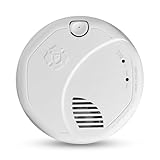
Legacy note: Nest Protect
The Google Nest Protect was discontinued in 2025. Existing units may keep working, but new buyers should favor a supported alarm. Several 2026 guides still rank it first, which is a sign they were not updated.
All thirteen products at a glance
| Model | Role | Power | Platform | CO |
|---|---|---|---|---|
| First Alert SC5 (battery) | Alarm | Battery | Google Home | Yes |
| Kidde smart alarm for Ring (RGCUDR-RW) | Alarm | AA battery | Ring, Alexa | Yes |
| Ring Smoke and CO Listener | Listener | Battery | Ring, Alexa | Hears CO alarms |
| X-Sense SC07-W | Alarm | Sealed battery | X-Sense | Yes |
| Kidde RemoteLync Monitor | Cellular monitor | Sealed battery | Kidde app | Via paired alarm |
| First Alert Onelink Safe and Sound | Alarm plus speaker | Mains | Alexa | Yes |
| First Alert Z-Wave alarm (SMCO410) | Alarm | Sealed 10-year battery | Z-Wave, Ring Alarm | Yes |
| Kidde RGCUAR-RW | Alarm | Hardwired plus AA | Ring | Yes |
| Kidde RGSDR-RW | Alarm | AA battery | Ring | No |
| Kidde 30CUAR-W | Alarm | Hardwired plus AA | Kidde app | Yes |
| Kidde 20SAR-W | Alarm | Hardwired plus AA | Kidde app | No |
| First Alert SC5 (hardwired) | Alarm | Hardwired plus backup | Google Home | Yes |
| Kidde Smart CO and Air Quality Monitor | Plug-in monitor | Plug-in | Alexa | CO only |
How to choose: quick thresholds
- Count your smart-platform accounts first: Google Home points to the SC5, Ring or Alexa to the Ring-branded Kidde line, a Z-Wave hub to the SMCO410, and no ecosystem to the Kidde app models.
- Hardwired ceiling circuits: stay hardwired so the battery is only a backup; battery-only retrofits suit renters and homes with no junction box.
- Working alarms less than about eight years old: add a listener near each one before replacing anything.
- Basement or far room where the Wi-Fi signal is weak: prefer a Z-Wave or private-radio interlink over a Wi-Fi-only unit, or add a mesh node.
- No broadband at the property: use a cellular monitor instead of a Wi-Fi alarm.
- Any gas appliance or attached garage: choose combination units or add a separate CO device on each sleeping level.
- Phone alerts should go to at least two people, and the siren must still sound with the router unplugged.
One clarification on the X-Sense SC07-W: manufacturer and guide listings present it as a sealed 10-year alarm that links to other X-Sense alarms over a private wireless network. Treat any phone-alert feature as dependent on X-Sense’s own app setup, and confirm on the package whether a Wi-Fi-capable model or a base station is needed before counting on remote alerts.
Decision matrix: choose by your situation
| Your situation | Choose | Why |
|---|---|---|
| Google Home, replacing old Nest Protect | First Alert SC5 | Bracket reuse and Google integration |
| Ring or Alexa home | Kidde smart alarm | Native app alerts |
| Good existing alarms, want alerts only | Ring Smoke and CO Listener | No replacement cost |
| No hub, need value | X-Sense SC07-W | Standalone app |
| No internet at the property | Kidde RemoteLync Monitor | Cellular link |
| Z-Wave security system | First Alert Z-Wave alarm | Hub mesh link |
What to verify before you buy
- Standard: The packaging must show a UL 217 listing for smoke detection and UL 2034 if it detects carbon monoxide.
- Offline behavior: The siren must work with Wi-Fi off. Unplug your router and press the test button to confirm after setup.
- Interlink: Does it link to other alarms over a private radio, or does it only rely on the cloud?
- Power: Battery life, replaceable or sealed, and any printed end-of-life date.
- Subscriptions: What is free (alerts) and what is not (professional monitoring or video history).
- Account security: Use two-factor sign-in and keep the app on a current phone operating system.
Worked example: alert reliability for a two-story house
Consider a house with a router upstairs, a basement 40 feet away through two floors, and a family that travels one weekend a month.
- Wi-Fi at the basement ceiling: the signal drops to the point where a Wi-Fi smart alarm may disconnect. A Z-Wave alarm or a mesh node near the basement stairs fixes this.
- Count alarms: say seven alarms in total. If only three are smart Wi-Fi alarms and four are plain, a fire in a plain-alarm room still wakes everyone locally but will not message your phone. A listener near each plain alarm closes the gap: four listeners, one per plain alarm cluster, or fewer if clustered near stairs.
- Away-from-home test: with no one home, a phone alert is the only warning. Add a trusted neighbor as an emergency contact in the app, and make sure their number is in the notification list.
- Outage case: during an internet outage, the siren and wireless interlink still work, but the phone alert is lost. If outages are common, add a cellular monitor or a Z-Wave hub with battery backup.
Takeaway: smart features address remote awareness, not the basic job of waking people up, so first make sure every sleeping area has a standard working alarm.
Setup tips that prevent missed alerts
Smart alarms fail quietly when the setup is lazy. Start by naming each alarm by room in the app, such as “Basement stairs” or “Primary bedroom hall”, so a notification tells you where to look. Add at least two people to the alert list, since a single phone on silent defeats the purpose. Allow the app to send critical or time-sensitive notifications in your phone settings; otherwise a do-not-disturb schedule can mute a smoke alert overnight.
Next, check the network. Give each Wi-Fi alarm a strong signal and reserve a stable address on the router if the manufacturer recommends it. If you change the router or password, re-link every alarm that same day, because they will not announce that they are offline unless the app is set to notify you about that too. Turn on the offline-device alert if your platform offers it.
Finally, run a monthly routine: press the test button on one alarm, confirm the phone alert arrives, and confirm every linked alarm sounds. Rotate which alarm you test so each one gets checked over a few months. Keep the firmware updated, but avoid updating on the same day you leave for a trip.
Safety guidance
- A smart alarm is not a replacement for a smoke alarm in each bedroom and on each level.
- Press the test button monthly and check the app to confirm the alert arrives.
- Replace alarms at the printed end-of-life date, usually 10 years from manufacture.
- A phone alert is not a rescue plan; keep a practiced escape route and meeting spot.
- If a CO alert sounds, leave the building, then call emergency services from outside.
- Do not silence alarms through the app without finding the cause.
Who should skip smart alarms
- Homes with poor Wi-Fi and no hub; invest in standard sealed alarms and a mesh node first.
- Buyers who object to a manufacturer cloud account, since all but Z-Wave setups depend on one.
- Anyone with expired alarms: replace them with current photoelectric units before adding smart accessories.
More smart alarms and monitors to compare
Platform-specific buyer guides list several additional smart alarms, mostly from the Kidde and First Alert families. They are added here so every platform choice has a hardwired and a battery option. Spec lines follow the maker descriptions; confirm the exact suffix and revision, because one letter can change the platform support.
8. Kidde RGCUAR-RW: best hardwired combo for Ring
Spec line: Smoke plus CO · hardwired with AA battery backup · Ring app support · wireless interconnect · voice alerts.
Best for: Ring Alarm households replacing existing hardwired ceiling alarms with smoke and CO in one fixture. Skip if: You use Google Home as your main platform or have no ceiling wiring. Pros: Reuses the existing circuit; alerts reach the Ring app. Cons: Needs the breaker off for installation; professional monitoring through Ring is a separate paid plan.
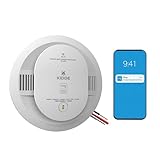
9. Kidde RGSDR-RW: best smoke-only battery alarm for Ring
Spec line: Smoke detection · AA battery power · Ring app support · wireless interconnect · voice alerts.
Best for: Bedrooms and hallways where CO is already covered and you want a no-wiring Ring-connected unit at an entry-level to mid-range cost. Skip if: You need CO in the same housing. Pros: Easy retrofit; interconnect with other compatible Kidde units. Cons: Replaceable AA cells need yearly attention; smoke only.

10. Kidde 30CUAR-W: best for the Kidde app without Ring
Spec line: Smoke plus CO · hardwired with AA battery backup · real-time mobile alerts through the Kidde app · voice alerts · interconnect.
Best for: Homeowners with hardwired circuits who want phone alerts but do not use Ring. Skip if: You want Google Home or Alexa routines as the core of your setup. Pros: Native app alerts, voice location announcements. Cons: Fewer third-party integrations than the Ring-branded line; hardwiring needs a qualified installer for many homes.
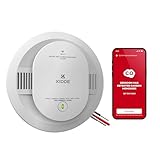
11. Kidde 20SAR-W: best smoke-only hardwired smart alarm
Spec line: Smoke detection · hardwired with AA battery backup · Kidde app mobile alerts · interconnect.
Best for: Replacing smoke-only alarms on an existing wired circuit while adding phone notifications. Skip if: You need CO sensing from the same unit. Pros: Lower cost tier than the combo; keeps the wired link. Cons: Backup batteries still need a calendar reminder; CO must come from another device.
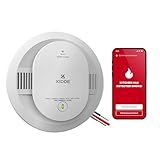
12. First Alert SC5 hardwired version: best Nest Protect swap on a wired circuit
Spec line: Smoke plus CO · hardwired · Google Home integration · smart alerts · battery backup.
Best for: Homes whose old Nest Protect was wired and now needs a supported replacement. Skip if: Your ceiling has no wiring, in which case the battery version above is the match. Pros: Same platform, same bracket idea as the discontinued Nest. Cons: Premium cost tier; Google-centric.
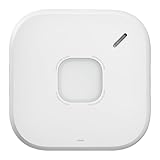
13. Kidde Smart CO Detector and Air Quality Monitor: best add-on for CO and indoor air
Spec line: Carbon monoxide detection · indoor air quality monitoring · plug-in power · Wi-Fi · Alexa compatible · voice and app alerts.
Best for: A bedroom or basement outlet where you want a CO alert on your phone and a read on indoor air. Skip if: You need smoke detection; this is not a smoke alarm. Pros: No ceiling work; adds CO coverage next to smoke-only alarms. Cons: Needs an outlet and a Wi-Fi link; not a replacement for a ceiling-mounted combination alarm.

Frequently asked questions
What is the best smart smoke detector in 2026?
The First Alert SC5 is the best fit for Google Home, the Kidde smart alarm for Ring households, and the X-Sense SC07-W for a no-hub value option.
Is the Nest Protect still available?
Google discontinued the Nest Protect in March 2025. Some stock or older units may exist, but First Alert’s SC5 is the supported replacement.
Do smart smoke detectors need Wi-Fi to sound the alarm?
No. The siren works without internet. Wi-Fi is only needed to send phone notifications and to link to cloud services.
Do smart smoke detectors require a subscription?
Basic app alerts usually do not. Professional monitoring through a platform such as Ring is a separate paid plan, so read the terms.
Can I make my existing smoke alarms smart?
Yes. A listener such as the Ring Smoke and CO Listener hears your alarm and sends a notification, though it does not sense smoke itself.
Are smart smoke alarms worth the extra cost?
They are worth it if you travel, rent out property, or have a large house where you may not hear a distant alarm. They add little for a small, always-occupied home.
What happens when the internet goes down?
The local siren and wireless interlink between alarms still work, but phone alerts stop until service returns. Cellular and Z-Wave options reduce that gap.
How long do smart smoke detectors last?
Plan on replacing the alarm at the printed end-of-life date, typically 10 years from manufacture, even if the app shows no faults.
Bottom line
Match the alarm to your platform, confirm the siren and interlink work without the internet, and treat phone alerts as an extra. Choose the First Alert SC5 for Google, a Kidde smart alarm for Ring, an X-Sense SC07-W for value, a listener to upgrade existing alarms, or a cellular monitor where there is no broadband.
More from Amazon
Programs that pair well with the guide above. Offers and eligibility are set by Amazon and may change.
Free shipping on eligible items, Prime Video and more. Eligible new members can start with a free trial.
Start a Prime free trialAudiobooks and podcasts to listen to on the go. Eligible new members can start with a free trial.
Try Audible freeAd-free music streaming. Eligible new subscribers can start with a free trial.
Try Music Unlimited freeA free business account with business pricing and bulk-buying tools for work, shop or home office.
Create a business accountAs an Amazon Associate we earn from qualifying purchases.




Write Your Review
No reviews yet. Be the first to share your experience!