

Key takeaways
- Choose the Philips SmartSleep approach if wake-up lighting is the priority and you want to avoid a recurring subscription. Choose Hatch Restore 3 if you value structured wind-down and morning routines and accept app-dependent features. Choose Loftie if a quiet, screen-light bedside experience matters most.…
The best smart alarm clocks for most people are the Hatch Restore 3 for a guided sleep-and-wake routine, the Loftie Clock for a screen-free bedside setup, the Philips SmartSleep Wake-Up Light for dependable sunrise lighting without a subscription, and the Google Nest Hub (2nd gen) for a compact, voice-controlled smart-home display.
Our top picks
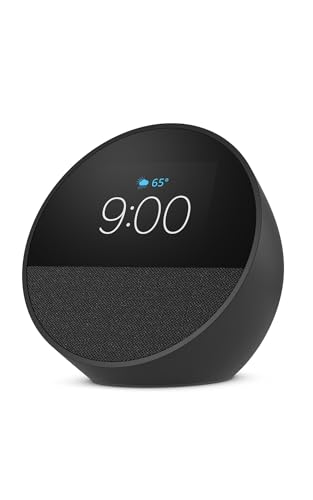
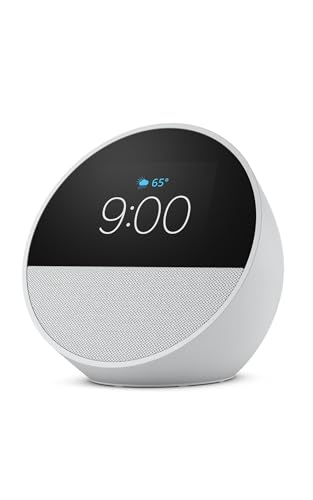
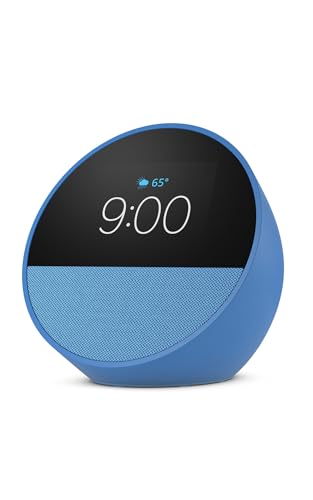

As an Amazon Associate we earn from qualifying purchases at no extra cost to you.
Best smart alarm clocks by situation
| Situation | Best fit | Why it fits | Main compromise |
|---|---|---|---|
| You want the gentlest wake-up | Philips SmartSleep Wake-Up Light HF3520 | 20–40-minute sunrise simulation, gradual sound, and a large lamp-style face | It occupies more bedside space than a conventional alarm |
| You want sleep routines and an app | Hatch Restore 3 | Combines wake lighting, soundscapes, wind-down routines, and app scheduling | Some content and controls require a paid membership |
| You want no distracting screen | Loftie Clock | Minimal display, two-stage alarm, built-in sounds, and a calmer bedside design | Its light is less substantial than a dedicated sunrise lamp |
| You already use Google Home | Google Nest Hub (2nd gen) | Compact display, voice alarms, routines, timers, music, and smart-home control | It has a screen and microphones, and it is not battery-backed |
| You want the lowest ongoing cost | Philips SmartSleep or a basic sunrise alarm | Core lighting and alarm features work without a recurring content plan | Fewer flexible sleep programs and app integrations |
Head-to-head: what matters more than the alarm sound
Wake-up lighting
Sunrise lighting is useful when your room is dark at the programmed wake time, but brightness and placement matter. A lamp with a broad diffuser can illuminate your face more evenly than a small clock aimed across the room. Philips’ SmartSleep models are closer to bedside lamps: their light gradually increases over a selectable period, commonly 20 to 40 minutes, and can finish with nature sounds or radio.
Hatch Restore 3 uses a smaller, softer light source and is better for a layered routine: dim red or amber light at bedtime, quiet sound during the night, and warmer or brighter light in the morning. It is less suitable if you expect one compact clock to brightly illuminate the whole room.
Before buying, measure the distance from the clock to your pillow. At roughly 50–80 cm, a small bedside light may be effective; across a large room, expect a gentler visual cue rather than room-level illumination.
Sleep tracking: useful context, not a diagnosis
Sleep tracking can show patterns such as inconsistent bedtimes, frequent movement, or a mismatch between your planned and actual schedule. Google Nest Hub (2nd gen) uses contact-free sensing and can report sleep-related trends, while app-based products such as Hatch focus more on routines and scheduled audio than on detailed clinical-style measurements.
Do not treat consumer sleep stages or nightly scores as medical measurements. If you regularly have severe daytime sleepiness, loud snoring with breathing pauses, persistent insomnia, or other concerns, discuss them with a qualified professional rather than choosing a clock based on its tracking score.
Backup alarms and power failures
This is where many “smart” clocks are less reassuring than a basic alarm. Wi-Fi-dependent alarms may continue to follow a saved schedule during a brief internet outage, but app changes, voice commands, and cloud content may stop working. A mains-powered clock can also lose its time after a prolonged power cut unless it has internal backup power.
Loftie includes a two-stage alarm concept: a gentler first alarm followed by a stronger backup alarm. Philips clocks generally retain core alarm functions through their local controls, but their backup behavior depends on the specific model and power arrangement. Google Nest Hub has no built-in battery, so pair it with a small uninterruptible power supply if a missed alarm would have serious consequences. For important mornings, keep a simple battery alarm or phone alarm in reserve.
App controls and subscription costs
Apps are valuable when you change schedules often, want several routines, or prefer adjusting brightness and sound from bed. They are less valuable if you set one alarm and leave it alone. Check whether the clock can set a basic alarm without an account, whether it still works when Wi-Fi is down, and which features move behind a subscription.
Hatch’s strongest library of sleep stories, soundscapes, and guided routines is associated with its membership plan. The hardware remains useful without paying indefinitely, but the value proposition changes if you only need a light and an alarm. Philips’ traditional wake-up-light approach has fewer app features but usually avoids ongoing content charges. Loftie sits between the two: it provides a curated set of built-in functions while offering additional control through its app.
Speaker quality
A clock speaker only needs to make an alarm clear; a good smart speaker should also sound pleasant for podcasts, radio, or quiet music. Google Nest Hub (2nd gen) is the strongest general-purpose audio choice here, although its compact speaker is not a substitute for a dedicated room speaker. Hatch prioritizes soft soundscapes and voice prompts over bass-heavy music. Loftie’s built-in sounds are designed for alarms and sleep, not high-volume listening.
Privacy settings
Privacy is a buying criterion, not an afterthought. A screen-free clock with no microphone is the simplest option. For a connected clock, look for a physical microphone mute switch, a camera-free design, clear account deletion controls, and the ability to use local alarms when internet access is unavailable.
Google Nest Hub has microphones that can be muted with a hardware switch. Its presence-sensing and sleep-related features can be disabled, and voice activity can be reviewed or deleted through Google account controls. Put any microphone-equipped clock where you are comfortable having it, and disable features you will not use rather than accepting every default.
Size, power, and bedside footprint
| Product or type | Approximate footprint | Power situation | Display or light behavior | Best placement |
|---|---|---|---|---|
| Google Nest Hub (2nd gen) | About 17.8 × 11.8 × 6.7 cm; about 0.5 kg | Mains power; no internal battery | 7-inch touchscreen with ambient brightness adjustment | At least a hand’s width from the bed for viewing and voice pickup |
| Philips SmartSleep HF3520 class | About 20 × 15 × 20 cm; roughly 1 kg | Mains power; model-dependent memory backup | Large sunrise lamp, typically 20–40-minute transition | Open surface where the light faces the sleeper |
| Screen-free smart clock | Typically 15–20 cm wide and 7–12 cm deep | Usually mains power; backup varies | Small dim display or no visible time | Small nightstand with controls reachable in the dark |
| Basic sunrise alarm | Typically 15–22 cm wide and 10–20 cm deep | Mains power; some use button-cell memory backup | Light-first design with limited smart-home features | Near the pillow, not behind books or curtains |
Reserve approximately 25 × 25 cm if you are considering a full sunrise lamp, because the clock itself is not the only space requirement: you also need room for its power cable and unobstructed light. If your usable nightstand area is only 15 × 20 cm, a Loftie-style compact clock or Nest Hub is easier to live with.
A practical setup that reduces missed alarms
- Set the local alarm first. Create the alarm on the clock rather than relying only on a phone routine or voice command.
- Choose a 20–30-minute light ramp. Start with 20 minutes if you wake easily; use 30–40 minutes if your room is very dark or you prefer a slower transition.
- Place the light in your line of sight. Do not cover the diffuser with clothing, books, or a lampshade.
- Set a second alarm five to ten minutes later. Use a different sound or a separate battery alarm while you learn how reliable the main device is.
- Test an outage. Unplug the clock for a minute, then confirm that the time and alarm remain correct. Also test it after the router is switched off; this reveals which features are cloud-dependent.
- Mute or disable unused sensors. Turn off microphones, sleep sensing, or presence detection that you do not need.
Ownership realities: what wears out first
The light source in most modern clocks is an LED, so it is unlikely to be the first failure point. More common problems are a loose power connector, a failing backup battery, cloud-service changes, app compatibility issues, and dust or oil buildup on the diffuser. Do not use abrasive cleaner on a translucent lamp surface; unplug the clock and wipe it with a dry or lightly damp microfiber cloth.
Keep the alarm away from steam, direct sunlight, and bedding that can block ventilation. If a product uses a coin-cell battery for clock memory, replace it according to the manual rather than waiting for the time to reset. A subscription-based clock may also become less useful if you cancel service, so confirm that local alarms, basic lighting, and essential sounds remain available before purchasing.
Bottom line
Choose the Philips SmartSleep approach if wake-up lighting is the priority and you want to avoid a recurring subscription. Choose Hatch Restore 3 if you value structured wind-down and morning routines and accept app-dependent features. Choose Loftie if a quiet, screen-light bedside experience matters most. Choose Google Nest Hub (2nd gen) if you want one compact device for alarms, voice control, music, and smart-home routines—and are comfortable managing microphones and cloud settings.



Write Your Review
No reviews yet. Be the first to share your experience!