

Key takeaways
- Google Home: Nest Doorbell is designed for it, with on-device detection and integration with Google displays.
- Alexa: Ring doorbells work with Alexa devices for announcements and live view.
- Apple Home: Look for HomeKit Secure Video support, as in Logitech Circle View or Aqara models.
- Platform-neutral: Eufy and Reolink have their own apps with limited third-party integrations.
For most homes, a video doorbell is the best front door camera, and the right one depends on your ecosystem and storage preference: the Google Nest Doorbell (Battery) suits Google Home households, the Ring Battery Doorbell Pro suits Alexa homes that want a head-to-toe view, the Eufy dual-camera doorbells suit buyers who want to avoid monthly fees, and the Arlo Video Doorbell 2K suits value shoppers. If you would rather keep the doorbell separate, a standalone porch camera or a peephole camera covers renters and unusual doorways.
Review outlets do not agree on a single winner. SafeWise and Technobezz put the Nest Doorbell first, one 2026 roundup prefers the Ring Battery Doorbell Pro, and Eufy’s own guide names its own model, which is a vendor source and should be read with that in mind. This guide compares the main picks, explains how to choose between them and flags the differences between the sources.
Front Door Cameras at a Glance
| Model | Best for | Reported specs | Limits |
|---|---|---|---|
| Google Nest Doorbell (Battery) | Google Home users, smart alerts | On-device processing identifies people, packages, animals and vehicles per Technobezz; reported 960p resolution with HDR | Lower resolution than rivals; cloud history needs a subscription, no local storage per PCWorld |
| Ring Battery Doorbell Pro | Alexa homes, head-to-toe view | One roundup lists 1536p HDR and radar-based motion detection | No local storage; recordings need a Ring plan |
| Ring Battery Doorbell Plus | General use | PCWorld lists 1536 by 1536 pixels, 1:1 view, package detection | Recording needs a Ring Protect plan |
| Eufy E340 or Dual | No monthly fee | Two cameras, local storage; 8 GB onboard listed for the E340 | Larger body; battery models need charging |
| Arlo Video Doorbell 2K | Value | Described as best value in one guide | Needs a compatible Arlo SmartHub for the 2nd Gen model per Technobezz; subscription for full features |
| Reolink Battery Doorbell | Local recording | PCWorld lists a card up to 128 GB, battery or wired power | Fewer ecosystem links |
| Ring Peephole Cam | Renters | PCWorld notes it uses an existing peephole and runs on battery | Requires a peephole; subscription for recording |
Doorbell, Peephole or Porch Camera
Video doorbell
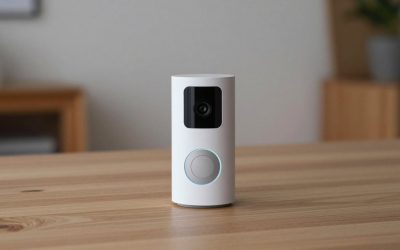
A video doorbell combines a camera, a button and a microphone. It captures visitors at face level and lets you talk to them from your phone. It is the default choice because it tells you when someone is actually at the door, not only when something moves.
Peephole camera
PCWorld lists the Ring Peephole Cam as an option for renters, since it attaches to an existing peephole and needs no drilling. It is battery powered and requires a peephole in the door.
Separate porch camera
A standalone camera on the porch ceiling or beside the door gives a wider view of the yard, driveway or packages and can be positioned higher, which makes it harder to knock off the wall. Pair it with a doorbell if you want both a wide scene and a face-level view.
Storage and Subscriptions
Storage is the biggest cost difference. PCWorld notes that Ring requires a Protect subscription for recordings and that Google’s Nest Doorbell has no local storage option and needs a subscription for cloud history. Roundups quote different Ring and Arlo plan prices and the tiers change over time, so look at each maker’s plan page before you commit. Without a plan, the cloud-first doorbells still send notifications and live view, but you cannot save clips.
Eufy takes the opposite approach. A roundup says the Eufy Dual has no monthly fee and saves video to a local base, so it keeps recording even if the internet fails. One three-year cost comparison puts a Eufy S220 with a HomeBase well below the Ring, Nest and Arlo models once plans are added, so the difference over time can be considerable. Reolink’s Battery Doorbell also records to a card or NAS, with subscription optional according to PCWorld.
Local storage is cheaper over time, but footage can be taken with the doorbell if it is stolen. A base station inside the house reduces that risk.
Image Quality and Field of View
Resolution numbers do not tell the whole story. Technobezz says the Nest Doorbell’s 960p resolution is lower than rivals, but HDR processing makes the image look better than the figure suggests. Ring’s roundup description emphasizes a head-to-toe view with 1536p HDR. A square or tall aspect ratio, such as the 1:1 view PCWorld lists for several models, shows packages on the ground without a second lens. Eufy’s dual-camera design adds a dedicated downward lens for that purpose.
Night vision is either infrared black-and-white or color with a light. Color modes may need ambient light. Read the maker’s stated range and expect less detail at the edge.
Power and Install
Most picks run on a battery or low-voltage doorbell wiring. Wiring keeps the camera charged, avoids removal for charging and usually allows faster response. Battery models are simpler to fit. Technobezz and TechHive both note that battery models must be taken down to recharge, during which the doorbell is offline. Wired installs normally use a transformer rated around 16 to 24 V AC, so read the maker’s requirements and compare them with the label on your transformer. If you are unsure about wiring, a licensed electrician can help, and the breaker should be switched off before touching wires.
Smart Home Fit
- Google Home: Nest Doorbell is designed for it, with on-device detection and integration with Google displays.
- Alexa: Ring doorbells work with Alexa devices for announcements and live view.
- Apple Home: Look for HomeKit Secure Video support, as in Logitech Circle View or Aqara models.
- Platform-neutral: Eufy and Reolink have their own apps with limited third-party integrations.
Privacy and Placement
Mount the camera on your own door frame and angle it to cover your porch and walkway, not the neighbor’s windows or the public street. Many apps let you set motion zones and privacy masks. Check local rules about audio recording and about signage. Use two-factor sign-in on the camera account and keep firmware updated.
Budget Tiers
Budget
Entry-level picks such as the Tapo D225 or Arlo Video Doorbell 2K give 2K-class video and basic detection. Expect fewer integrations, and read the plan terms for any feature that sits behind a subscription.
Mid-range
Eufy’s dual-camera doorbells and the Reolink Battery Doorbell sit here. You pay once and keep footage locally, which suits buyers who plan to keep the camera for years.
Premium
The Ring Battery Doorbell Pro and Nest Doorbell lead on polish, detection quality and ecosystem links. Add the cost of a recurring plan when comparing them with local-storage models.
Where to Mount It
Doorbell makers generally suggest a mounting height around chest level so faces are visible, and a wedge or corner kit can correct an angle if your door sits in a recess. Keep the lens clear of glare from porch lights, and avoid pointing it into direct sunrise or sunset. A porch with a deep overhang protects the camera from rain, but also reduces ambient light at night, so check the stated night vision range against your porch depth.
Pick X If: Decision Table
| If you… | Pick | Why |
|---|---|---|
| Use Google Home | Nest Doorbell (Battery) | On-device detection and Google integration |
| Use Alexa and want head-to-toe view | Ring Battery Doorbell Pro | 1536p HDR and radar motion per one roundup |
| Want to avoid monthly fees | Eufy E340 or Dual | Local storage and no monthly fee |
| Want a lower cost | Arlo Video Doorbell 2K | Described as value pick |
| Rent and cannot mount a doorbell | Ring Peephole Cam | Uses the existing peephole |
| Want a wide yard view | A separate porch camera | Wider angle and higher mounting |
Alternatives Worth Considering
Tapo D225
PCWorld lists it as a budget pick with 2K video, an included microSD card and battery or wired power, with cloud features optional.
Reolink PoE doorbell
Suited to people who already have a network recorder and want continuous recording over Ethernet.
Logitech Circle View
PCWorld calls it the best for HomeKit users, but it needs wiring and works only in the Apple ecosystem.
Frequently Asked Questions
Do I need a subscription for a front door camera?
Not always. Eufy and Reolink models record locally. Ring and Nest need plans for saved history. Without a plan, cloud-first models still send alerts and live view.
Is battery or wired better?
Wired power avoids recharging and suits homes with bell wiring. Battery models install faster but go offline when removed for charging. Choose based on your wiring and tolerance for upkeep.
What resolution do I need?
Higher resolution helps with faces and details, but field of view, HDR and lighting matter as well. The Nest Doorbell’s lower figure still earns praise from reviewers. Choose a model that shows the whole doorstep.
Will it work with my existing chime?
Many models trigger a compatible mechanical or digital chime if wired, but some need a bundled plug-in chime. Check the maker’s compatibility list and your transformer rating.
Can I put one on a rented door?
Yes, with a battery doorbell mounted on adhesive or a no-drill bracket, or with a peephole camera. Ask your landlord about rules for mounting.
How do I stop false alerts?
Set motion zones, lower sensitivity and turn on person or package detection. Aim the camera away from busy streets and moving trees. Cameras with on-device detection, as described for Nest, tend to produce fewer irrelevant alerts according to reviewers.






Write Your Review
No reviews yet. Be the first to share your experience!