

Key takeaways
- The hub’s supported-device database, including the exact model number.
- Whether the feature you need is supported, not merely whether the device can pair.
- Whether the manufacturer allows local control or requires an internet account.
Best Zigbee Smart Home Hubs for Easy Control
The best Zigbee smart home hubs for most homes are the Aeotec Smart Home Hub for a polished general-purpose system, Hubitat Elevation C-8 Pro for powerful local automation, and Home Assistant Green paired with a Zigbee coordinator for maximum flexibility and long-term expansion.
Zigbee is a low-power wireless standard used by motion sensors, contact sensors, buttons, bulbs, plugs, thermostats, and other smart-home devices. Unlike Wi-Fi, Zigbee devices normally communicate through a mesh: mains-powered devices can relay messages for battery-powered sensors. That can make a well-built Zigbee network more reliable than putting every sensor directly on Wi-Fi, but the hub, device compatibility, and placement still determine the experience.
Our top picks

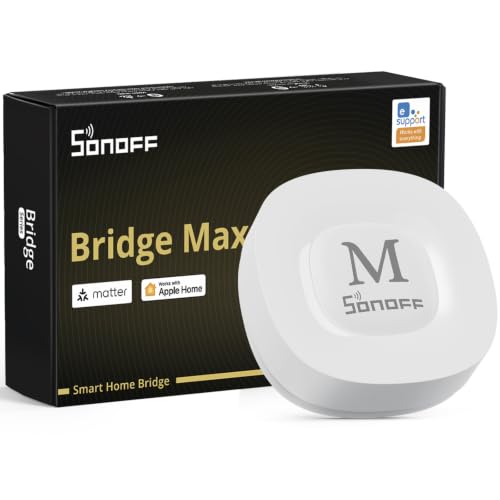


As an Amazon Associate we earn from qualifying purchases at no extra cost to you. Ratings are shown as listed on Amazon.
Quick comparison of the leading choices
| Hub or platform | Best for | Local automation | Zigbee and Matter position | Typical hardware cost | Setup difficulty |
|---|---|---|---|---|---|
| Aeotec Smart Home Hub | Balanced, app-led smart homes | Many routines can run locally; cloud-dependent integrations vary | Zigbee and Z-Wave; Matter support depends on the platform and device role | $100–$150 | Low to moderate |
| Hubitat Elevation C-8 Pro | Fast local rules and advanced users | Strong local processing for supported drivers and automations | Zigbee and Z-Wave built in; Matter support is more selective than native Zigbee support | $130–$160 | Moderate |
| Home Assistant Green plus Zigbee coordinator | Maximum control and broad integrations | Excellent when configured locally | Coordinator choice determines Zigbee support; Matter and Thread can be added separately | $100–$150 before optional radio hardware | Moderate to high |
| Philips Hue Bridge | Hue lighting and simple lighting scenes | Strong for Hue lighting routines | Zigbee-focused; Matter exposure is primarily through supported bridge integrations | $50–$70 | Low |
| Aqara Hub M3 | Aqara sensors and a compact ecosystem | Many Aqara automations can operate locally | Zigbee for compatible Aqara devices, with Matter-controller and bridge functions depending on firmware and product type | $120–$150 | Low to moderate |
Prices are broad market ranges rather than fixed quotes. Accessories, subscription requirements, regional versions, and sales can change the total cost.
Which hub fits your situation?
| Your situation | Best starting choice | Why | Watch out for |
|---|---|---|---|
| Apartment, under 20 devices, minimal technical work | Aeotec Smart Home Hub | App-based control with both Zigbee and Z-Wave support | Some third-party services may still require cloud access |
| Large number of sensors and fast, dependable routines | Hubitat Elevation C-8 Pro | Local rules reduce dependence on internet response times | Device drivers and rule design require more learning |
| Mixed brands, dashboards, cameras, media, and custom logic | Home Assistant Green plus coordinator | Broad integration and detailed control | Updates, backups, and radio configuration become your responsibility |
| Mostly Philips Hue bulbs and switches | Philips Hue Bridge | Simple, mature lighting experience | It is not the most versatile hub for unrelated Zigbee sensors |
| Aqara sensors in a small or medium home | Aqara Hub M3 | Convenient pairing and strong ecosystem-specific automation | Check exact model compatibility before mixing non-Aqara devices |
Zigbee support: “compatible” does not mean universal
A hub can include a Zigbee radio and still provide an uneven experience with third-party devices. Zigbee profiles, manufacturer-specific features, firmware versions, and hub drivers all matter. A basic door sensor may pair successfully while its temperature calibration, battery reporting, or tamper alert does not appear correctly.
Before buying, check three lists:
- The hub’s supported-device database, including the exact model number.
- Whether the feature you need is supported, not merely whether the device can pair.
- Whether the manufacturer allows local control or requires an internet account.
Standard Zigbee light bulbs, smart plugs, and simple contact sensors tend to be safer first purchases than unusual remotes, multi-button switches, or proprietary air-quality devices. Keep the packaging and model information until pairing and automation tests are complete.
Mesh range is about layout, not the advertised maximum
Zigbee’s theoretical indoor range is often described as roughly 10–30 metres per hop, but walls, electrical wiring, appliances, metal cabinets, and building materials can reduce it substantially. A Zigbee network is usually improved by adding mains-powered routers such as smart plugs or permanently powered bulbs. Battery sensors generally do not extend the mesh because they sleep to preserve battery life.
Consider a 30-metre-long house with three interior walls between the hub and a rear door. A direct connection may be unreliable even if the distance appears reasonable. Adding two powered Zigbee plugs—one near the middle of the house and one near the rear—creates shorter radio paths. The calculation is simple: instead of one approximately 30-metre route, the network may use three routes of about 10 metres each, subject to wall attenuation.
Place the hub in an open, central location, away from a Wi-Fi router, metal shelving, electrical panels, and large appliances. If using a USB Zigbee coordinator with a computer or Home Assistant, use a short USB extension cable. It moves the radio away from electrical noise and the computer’s metal chassis.
Local automation and internet outages
Local processing means the hub executes a rule inside the home rather than sending every trigger to a remote server. This matters for motion lighting, leak alerts, door notifications, and bedtime routines: local rules can respond during an internet outage and usually feel faster.
“Local” is not all-or-nothing. A hub may run a Zigbee motion-to-light rule locally while remote notifications, voice assistants, weather data, backups, or third-party cloud devices stop working. Test the exact automations you rely on by temporarily disconnecting the internet and checking what still functions.
Hubitat is attractive when local rules are the priority. Home Assistant can offer even deeper local control, but it rewards users who are comfortable managing integrations and backups. Aeotec is easier for many households, although the behavior of linked services depends on the service provider.
Matter compatibility: useful, but not a replacement for Zigbee
Matter is an application standard designed to improve interoperability across ecosystems. Zigbee is a separate wireless protocol. A Matter-compatible hub may expose some Zigbee devices to Apple Home, Google Home, or other platforms through a bridge, but that does not make every Zigbee device natively Matter-compatible.
Matter also commonly uses Wi-Fi or Thread for device connectivity. Thread border routers and Matter controllers are different roles, and one product may support one, both, or neither. If Matter is central to your plans, verify:
- Whether the hub is a Matter controller, a Matter bridge, or both.
- Whether it includes Thread border-router hardware.
- Which Zigbee device types it can expose through Matter.
- Whether advanced features survive the bridge, such as multi-button actions or sensor diagnostics.
Buy Zigbee for the devices that benefit from its mature mesh and low battery consumption. Treat Matter as a way to share selected devices between ecosystems, not as a guarantee that every feature will transfer.
Setup and expansion costs that are easy to miss
The hub is only the first purchase. A realistic starter network might include a hub at $100–$150, four contact or motion sensors at $15–$35 each, and two powered Zigbee routers at $15–$30 each. That produces an approximate initial total of $190–$350 before optional subscriptions or premium sensors.
Home Assistant can appear inexpensive because the software is flexible, but its total can include the Home Assistant Green, a Zigbee coordinator, a USB extension cable, storage or backup hardware, and your time. A proprietary hub may cost more per device but reduce setup work.
A reliable setup sequence
- Update the hub firmware before pairing devices.
- Place the hub centrally and create a clear device naming scheme.
- Pair mains-powered routers first, then add battery sensors in their final locations.
- Wait for the mesh to settle after moving or adding routers; do not pair everything at the edge of coverage.
- Test each sensor manually, then test automations with the internet disconnected.
- Record model numbers, battery types, and important automation logic in a household note.
Ownership realities and common mistakes
Zigbee networks usually need less maintenance than Wi-Fi-heavy systems, but they are not maintenance-free. Batteries are the first consumable: many contact sensors last about one to two years, while motion sensors may use more power because they detect frequently. Cold locations, weak mesh links, and excessive reporting can shorten that interval.
Smart bulbs can also cause trouble when controlled by a wall switch that removes their power. Use a wireless scene button or a smart switch designed to keep the bulb powered. Avoid placing the hub inside a cabinet, adding too many identical bulbs without checking router behavior, or resetting a sensor repeatedly before confirming whether the hub supports its driver.
For a simple, mixed-brand home, choose the Aeotec Smart Home Hub. Choose Hubitat when reliable local rules and expansion matter more than a beginner-focused interface. Choose Home Assistant when you want the broadest control and are willing to maintain the system. Use Philips Hue Bridge for a lighting-first installation and Aqara Hub M3 when an Aqara-centered setup is the priority.

Write Your Review
No reviews yet. Be the first to share your experience!