

Key takeaways
- Choose Hubitat C-8 Pro for dependable local automations, Aeotec Smart Home Hub for an easier SmartThings experience, Home Assistant Green with a Z-Wave adapter for maximum customization, and Ring Alarm Pro when alarm functionality is the foundation of the system. Whichever hub you select, spend…
The best Z-Wave smart hubs in 2026 are Hubitat Elevation C-8 Pro for local-first automation, Aeotec Smart Home Hub for an easier SmartThings-based experience, Home Assistant Green with a Z-Wave USB adapter for maximum flexibility, and Ring Alarm Pro when professionally monitored-style security features matter most. The right choice depends less on the number of devices you own than on whether you prioritize reliable local control, a polished app, advanced integrations, or a security system with Z-Wave built in.
Our top picks

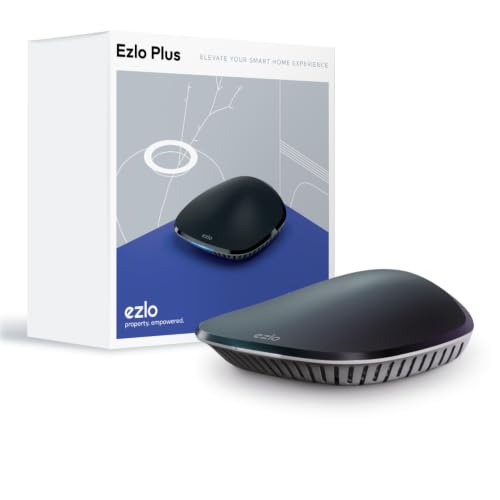

As an Amazon Associate we earn from qualifying purchases at no extra cost to you. Ratings are shown as listed on Amazon.
Best Z-Wave smart hubs at a glance
| Hub | Z-Wave capability | Control model | Approximate hardware cost | Best for |
|---|---|---|---|---|
| Hubitat Elevation C-8 Pro | Z-Wave 800-series; Z-Wave Plus V2 | Primarily local; optional cloud services | $150–$180 | Fast, private automations and experienced users |
| Aeotec Smart Home Hub | Z-Wave Plus; regional frequency variant | Hybrid local and cloud through SmartThings | $100–$140 | Balanced app quality and mainstream integrations |
| Home Assistant Green plus Z-Wave USB adapter | Depends on the adapter; commonly Z-Wave 700 or 800-series | Local by default; optional remote cloud access | $150–$220 combined | Power users who want broad, detailed control |
| Ring Alarm Pro | Z-Wave Plus for compatible security and home devices | Local alarm operation with cloud-dependent app features | $300–$400 for a base-station bundle | Homes combining Z-Wave with alarm, camera, and monitoring features |
Prices are general market ranges and can change with bundles. Z-Wave products must use the correct regional radio frequency, so a hub purchased for North America is not automatically suitable for the United Kingdom, Europe, Australia, or other regions.
Our picks by buying situation
| Your situation | Best choice | Why | Main compromise |
|---|---|---|---|
| You want the fewest cloud dependencies | Hubitat C-8 Pro | Many automations execute on the hub, so lights and sensors can continue working during an internet outage. | The interface and rule-building tools take more learning. |
| You are replacing a basic hub and value an approachable app | Aeotec Smart Home Hub | SmartThings provides a mature mobile app and a wide range of integrations. | Some integrations and remote features depend on Samsung’s cloud services. |
| You want one system for Z-Wave, Wi-Fi, cameras, and unusual devices | Home Assistant Green | Home Assistant exposes more device data and integration options than most closed hubs. | You must add a Z-Wave adapter and accept more setup and maintenance. |
| Your priority is a security system with Z-Wave expansion | Ring Alarm Pro | It combines alarm sensors, sirens, keypad support, and compatible Z-Wave automation. | Camera, remote-access, and some security features are more cloud-dependent. |
1. Hubitat Elevation C-8 Pro: best for local automation
Hubitat is the strongest choice for homeowners who want Z-Wave rules to run locally rather than traveling to a remote server. Motion-triggered lighting, contact-sensor routines, thermostat changes, and many scheduled actions can continue during an internet failure, provided the hub and network equipment still have power.
The C-8 Pro uses an 800-series Z-Wave radio and supports Z-Wave Plus V2 features. It also includes stronger networking hardware than the standard model, making it a sensible option when the hub will manage a busy mixed-device installation. Hubitat supports large networks, but a practical limit is determined by automation complexity, radio traffic, and the number of Wi-Fi, Zigbee, LAN, and cloud integrations—not simply a published device count.
The trade-off is usability. Hubitat’s app and automation tools are capable, but they are less beginner-oriented than SmartThings. Community-developed integrations can be excellent, although they may require updates when an outside service changes its API.
2. Aeotec Smart Home Hub: best balance of app quality and compatibility
The Aeotec Smart Home Hub is a hardware gateway for the SmartThings platform. It supports compatible Z-Wave devices alongside Zigbee, Wi-Fi, and SmartThings integrations. This makes it attractive if your home already uses Samsung appliances, voice assistants, smart locks, or other devices supported by SmartThings.
SmartThings is easier to approach than a fully self-managed platform. Device discovery, room organization, scenes, notifications, and mobile control are generally clear. The hub can run some routines locally, but the experience is hybrid: device support, remote access, third-party integrations, and parts of automation behavior may rely on Samsung’s cloud.
Check compatibility before buying. A Z-Wave device can be electrically compatible yet still lack a polished SmartThings driver. Basic switches, dimmers, outlets, locks, and contact sensors are usually safer purchases than obscure multi-function products with unusual parameters.
3. Home Assistant Green plus a Z-Wave adapter: best for flexibility
Home Assistant Green is not a Z-Wave hub by itself. To build a Z-Wave system, add a supported USB Z-Wave controller and use the Z-Wave JS integration. This two-part design costs more and requires more decisions, but it gives you exceptional control over dashboards, automations, energy data, notifications, and cross-brand devices.
Home Assistant is particularly useful when Z-Wave is only one part of the home. You can combine local Z-Wave sensors with cameras, network equipment, media players, presence detection, energy meters, and devices that other hubs do not support. The system is local-first, though remote access requires careful configuration or a subscription service.
Ownership demands more attention. Back up the Home Assistant configuration, keep the operating system updated, and avoid changing the USB controller’s location after pairing devices. If you move the adapter to a different USB port or place it directly beside a computer, radio interference can make the network appear unreliable.
4. Ring Alarm Pro: best when security comes first
Ring Alarm Pro is primarily a security base station, but its Z-Wave radio lets it work with compatible locks, switches, lights, and other devices. It is a good fit when the main requirement is an alarm system with entry sensors, motion detection, keypad support, sirens, and optional professional monitoring, rather than a general-purpose automation laboratory.
The system is less open than Hubitat or Home Assistant. Ring’s own alarm devices are the safest compatibility choice, while third-party Z-Wave devices should be checked against Ring’s current supported-device list. Camera features, remote control, cellular backup, and some monitoring functions can involve subscriptions or cloud services, so calculate the ongoing cost rather than comparing only the base-station price.
What to compare before choosing
Z-Wave compatibility and regional frequency
Z-Wave is not a single worldwide radio channel. Buy a hub and devices intended for the same region. Z-Wave Plus and Z-Wave Plus V2 generally improve interoperability, security, and network management, while 700- and 800-series controllers can offer newer inclusion and diagnostic capabilities. They do not make every old or unusual device universally compatible.
Local versus cloud control
Local control matters most for safety-related or frequently used routines. A local motion-to-light automation should respond even if broadband service is down. Cloud control is useful for remote access, voice assistants, notifications, camera services, and integrations, but it introduces internet and vendor-account dependencies.
Range and mesh design
Z-Wave uses a mesh network: powered devices such as wall switches, plug-in modules, and in-wall outlets can relay traffic, while battery sensors generally do not. A direct indoor range of roughly 30–60 feet is a realistic planning assumption through walls, although construction materials make a large difference. Open-air specifications can be much higher and should not be treated as room-to-room performance.
For a larger home, place powered Z-Wave devices along the route between the hub and distant sensors. A three-node path might cover a long hallway more reliably than placing the hub at one end and expecting a battery sensor to bridge the entire distance.
Device limits and network capacity
Do not select a hub solely because it advertises a high maximum. Large installations are affected by slow devices, repeated failed commands, polling, security locks, and overly complex automations. For most homes, the practical question is whether the hub supports the devices and routines you need, and whether it offers diagnostics when something stops responding.
A reliable Z-Wave setup sequence
- Choose the regional hub version. Confirm the frequency and supported device list before purchasing hardware.
- Place the hub centrally. Keep it away from metal cabinets, large appliances, Wi-Fi routers, and USB 3.0 equipment that may create interference.
- Pair mains-powered devices first. Install switches and plug-in modules near the hub before adding distant sensors.
- Include devices where they will be used. Moving a device after pairing can require a network repair or a fresh inclusion.
- Build one automation at a time. Test a sensor, its action, and its fallback behavior before adding conditions and schedules.
- Document security devices. Record lock codes, sensor names, battery types, and exclusion procedures so maintenance does not become guesswork.
Ownership realities: batteries, repairs, and failure points
Battery sensors are usually the first devices to need attention. Door sensors, leak detectors, and motion sensors commonly use CR123A, CR2, or AA batteries, with actual life ranging from several months to multiple years depending on temperature, reporting frequency, and signal quality. A sensor that reports constantly because it is mounted poorly can exhaust its battery quickly.
Keep spare batteries, but replace them with the specified chemistry and voltage. Do not repeatedly wake or reset a device without checking whether the real problem is a weak mesh route. For mains-powered devices, loose neutral connections, overloaded outlets, and unsuitable wiring are more serious risks; use a qualified electrician where installation involves household wiring.
Final verdict
Choose Hubitat C-8 Pro for dependable local automations, Aeotec Smart Home Hub for an easier SmartThings experience, Home Assistant Green with a Z-Wave adapter for maximum customization, and Ring Alarm Pro when alarm functionality is the foundation of the system. Whichever hub you select, spend as much time planning mesh placement and device compatibility as comparing headline device limits. That is usually what determines whether a Z-Wave installation remains reliable after the initial setup.

Write Your Review
No reviews yet. Be the first to share your experience!